
How to Convert Xactimate/Symbility PDF's to Excel with TurboClaim?
Exporting Line Items from PDF Estimates to Excel
Overview
This documentation outlines the process of extracting line items from PDF estimates and converting them into an Excel format. The steps provided will guide users through exporting data for further manipulation in Excel sheets.
Exporting Data to CSV 0:00
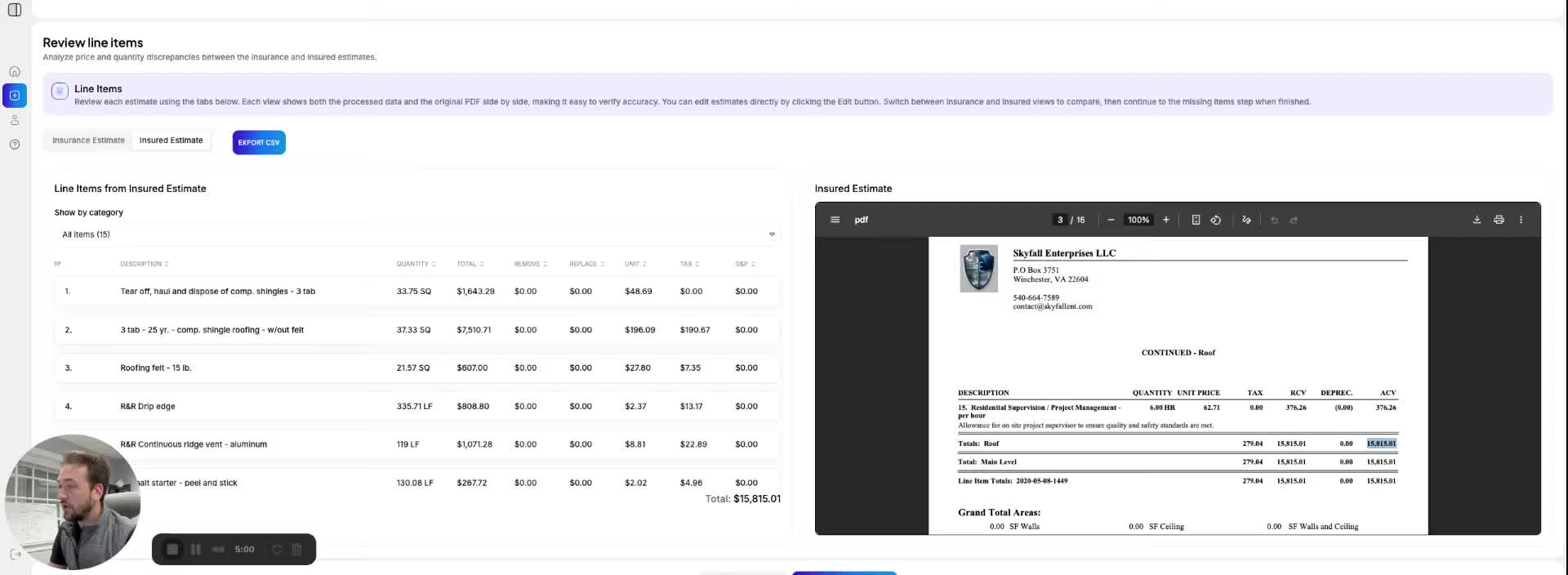
- After uploading your two documents for comparison, navigate to each tab in the Line Item Screen of the application.
- Click on the 'Export to CSV' button to download the data.
- The downloaded CSV file can then be opened in Excel for manipulation.
Link to Loom
https://loom.com/share/c1da7e2978d8442d8d121d747fd84d50