
How to Find Missing Items on Insurance Claim Settlements with TurboClaim?
Supplementing Missing Items on Insurance Claim Settlements
Overview
This documentation outlines the process of identifying and supplementing missing items in insurance estimates. It details how to generate arguments for supplements and manage items between the insured and insurance company estimates.
Identifying Missing Items 0:02
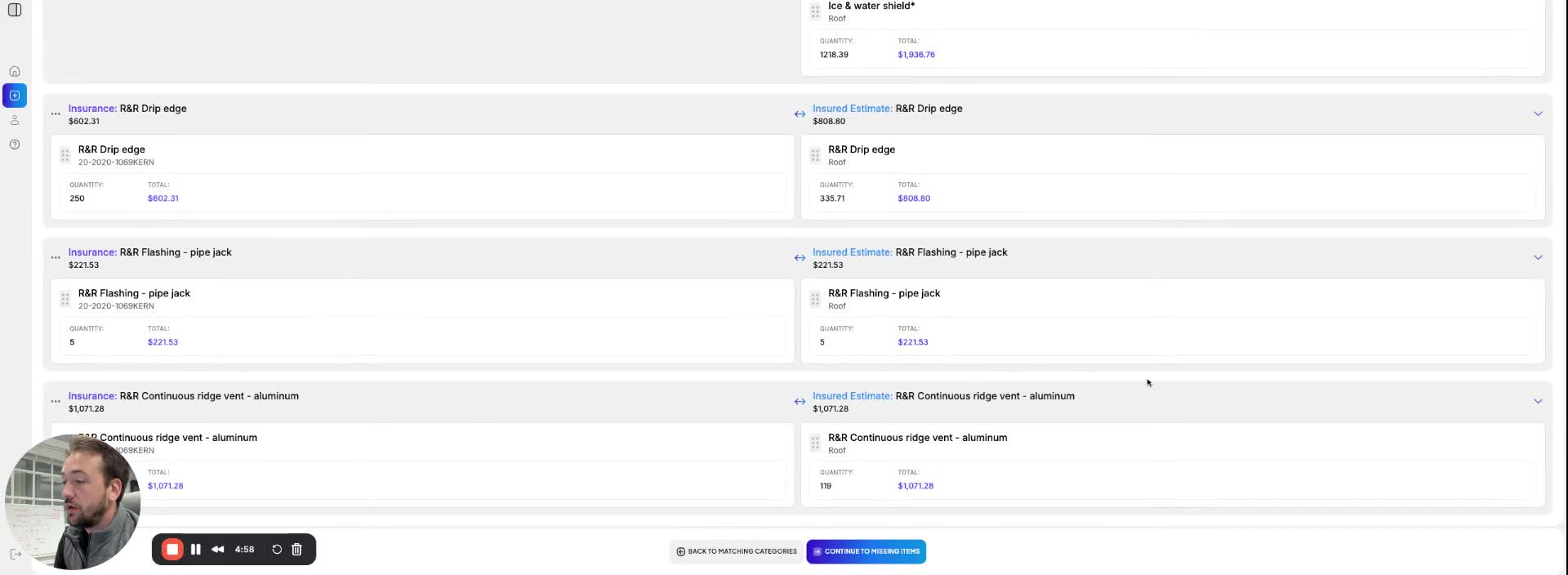
- Each room in the estimate can contain missing items.
- The confirmation screen displays two times: insurance and insured.
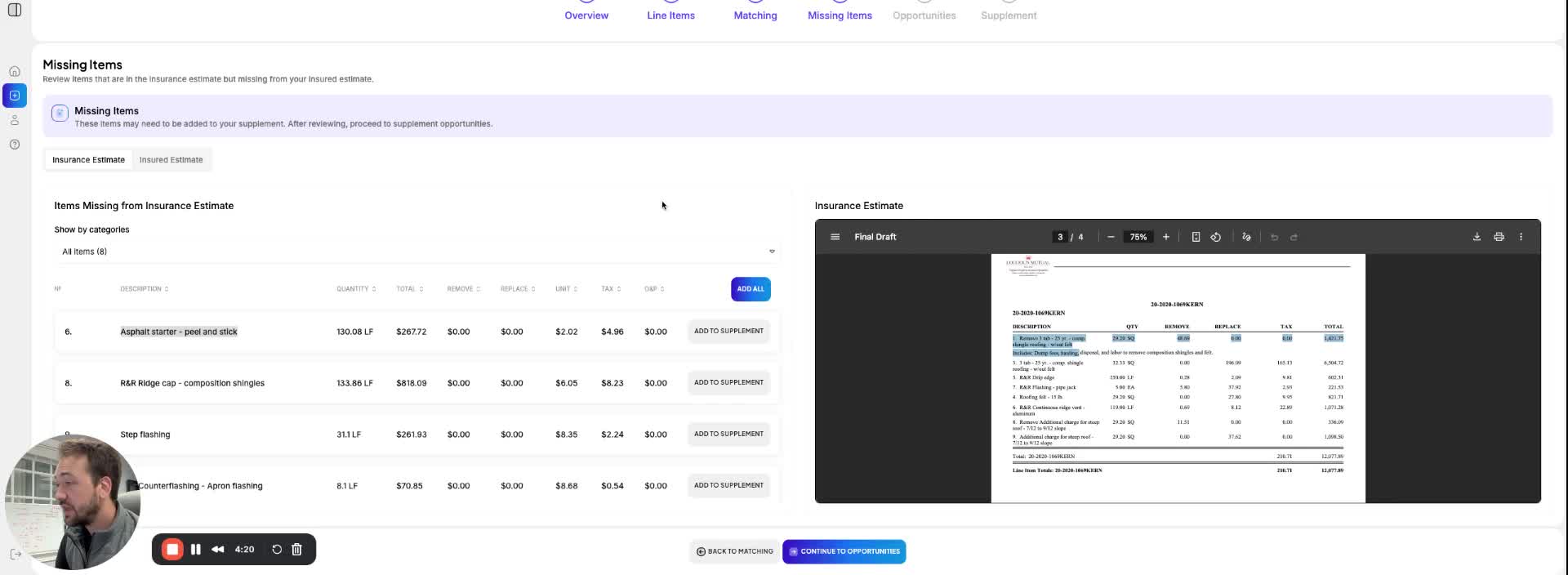
- If an item, such as 'asphalt starter peel-and-stick', is present in your estimate but missing from the insurance estimate, it needs to be added to the supplement.
Adding Items to Supplement 0:32
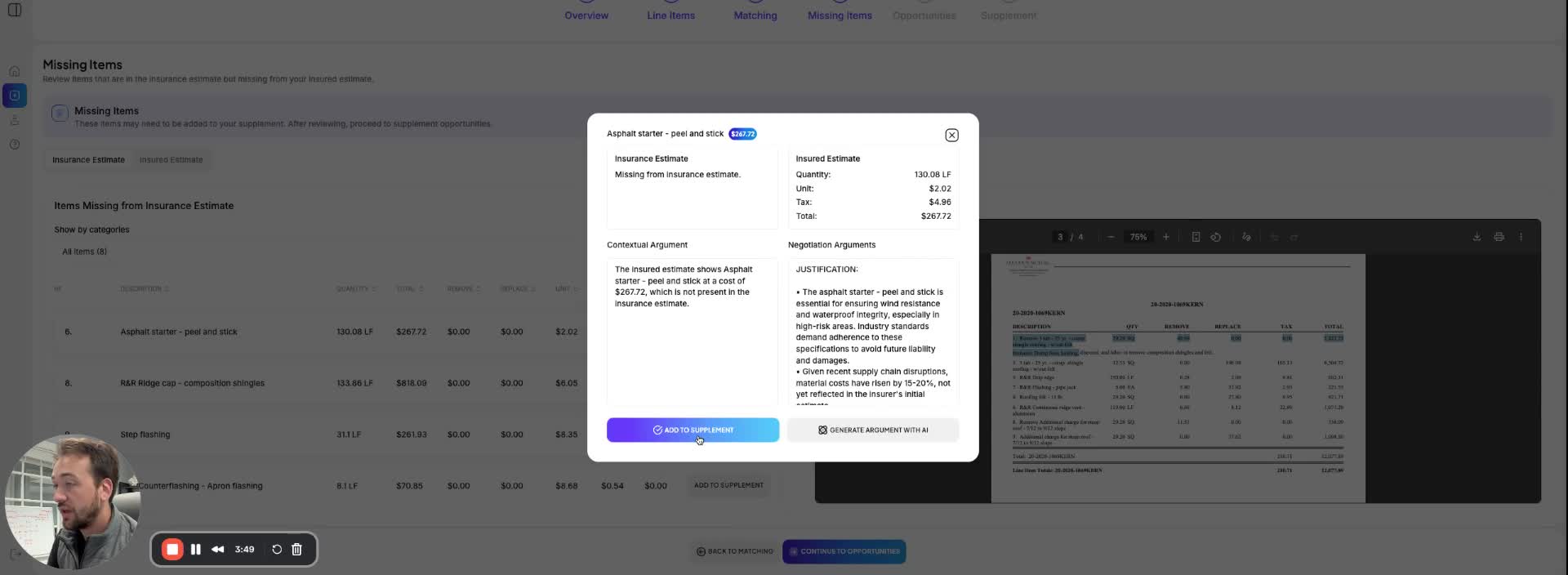
- You can add missing items to the supplement by:
- Writing your own argument.
- Copying and pasting an existing argument.
- Generating an argument using AI by clicking 'Generate Argument'.
- The AI-generated argument will be verbose; you can select relevant pieces to include.
Adding Supplements Efficiently 0:53
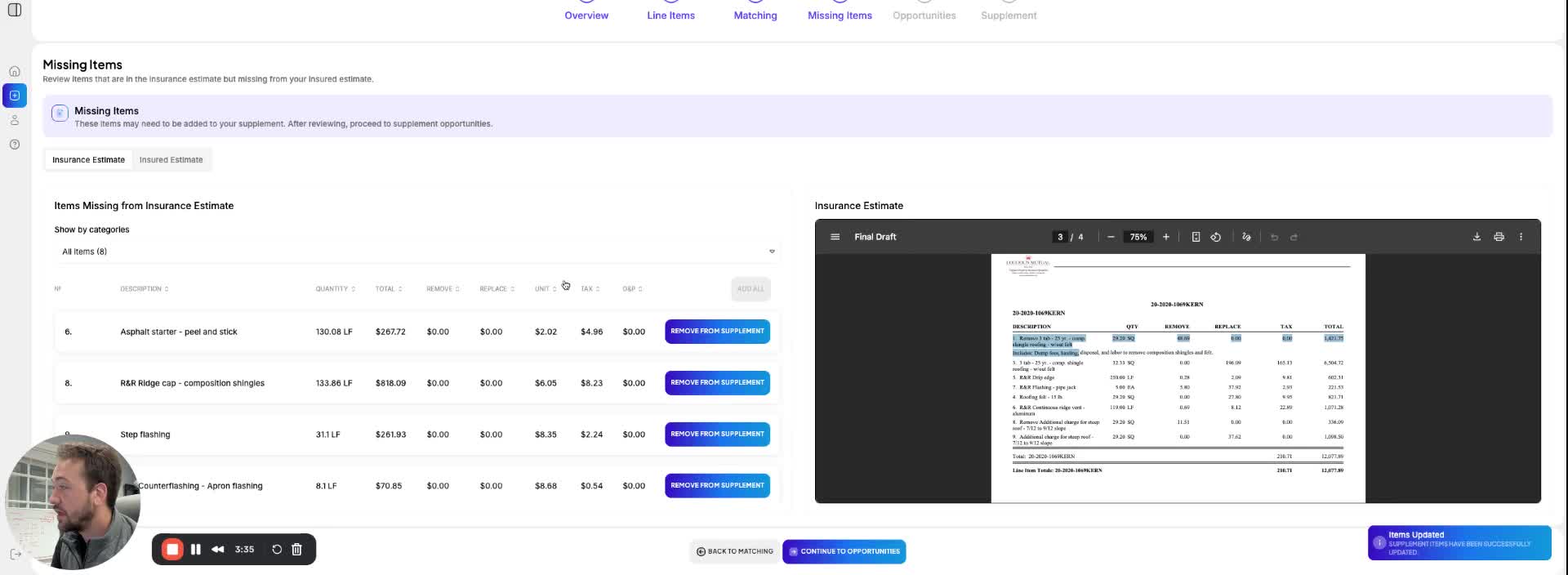
- To add items to your comparison and supplement document:
- Click 'Add This Supplement' for individual items.
- Alternatively, click 'Add All' to add all items at once, saving time.
Navigating to the Insured Side 1:04
- On the insured side, items that were not included in your estimate but are present in the insurance estimate will be automatically added to the agreed section.
- These items represent potential claims that should have been included in your original estimate, effectively providing additional value in your settlement.
Link to Loom
https://loom.com/share/c0e8dccf840c4caa90c28836333cf16c