
Understanding Your Final Supplement PDF
Supplement Document Export Functionality
Overview
This documentation outlines the functionality for exporting a supplement document as a PDF. It details the structure of the generated PDF, including key sections and navigation features for users.
PDF Download 0:00
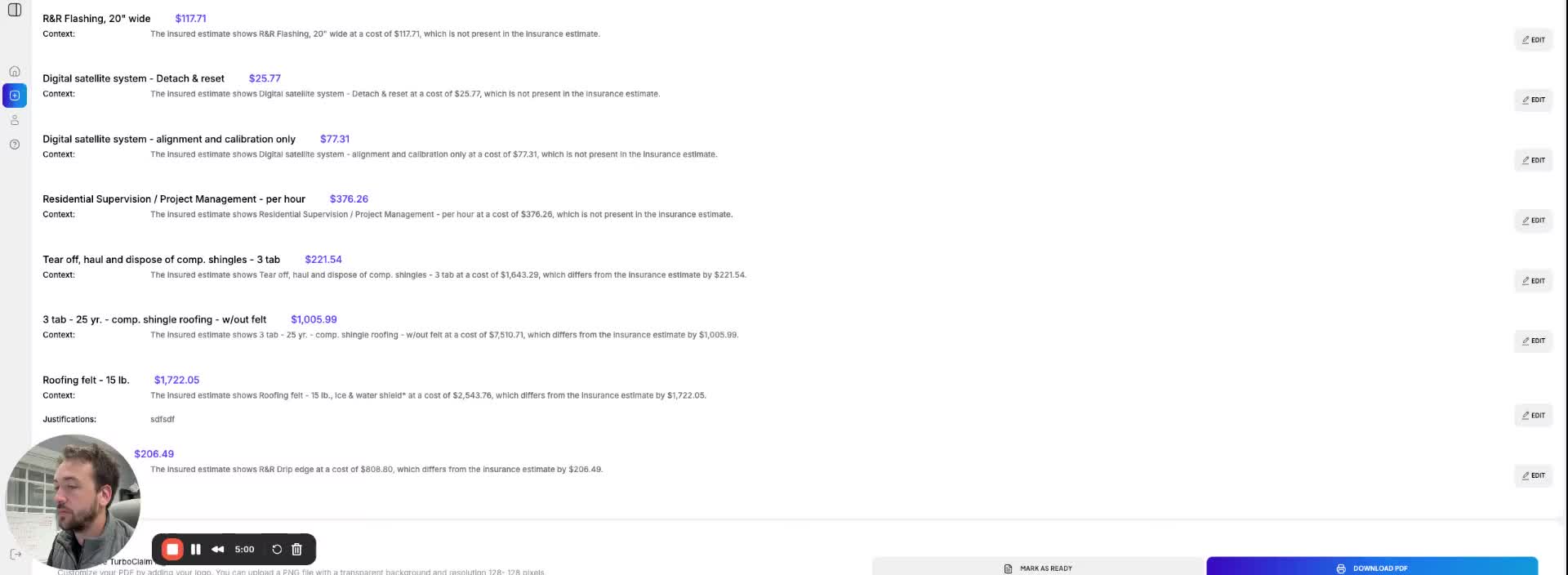
- Users can export the supplement document by clicking the 'Download PDF' button.
- The PDF will be saved to the user's computer upon clicking the download option.
PDF Structure Overview 0:14
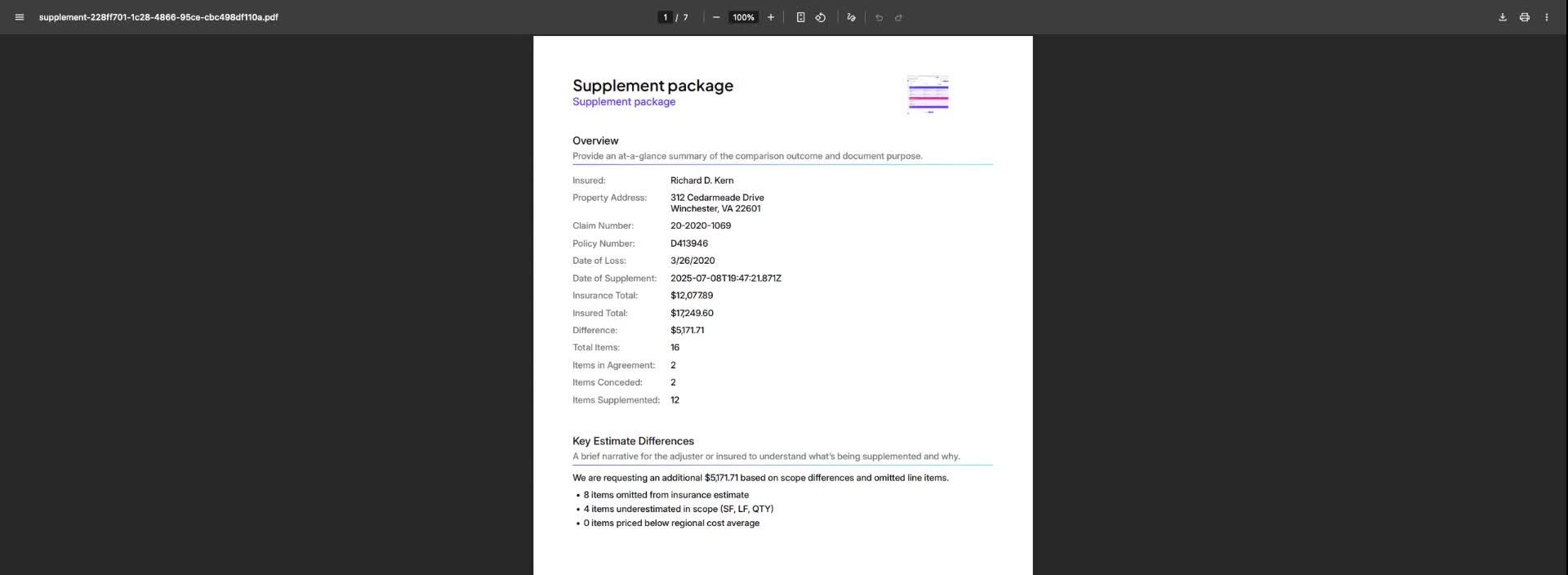
- The PDF includes:
- Overview information with initial insurance total and amended total amount.
- Total difference between the requested amount and the offered amount.
- Supplemented items categorized by area (e.g., roof).
- Omitted items with justification arguments accessible via an asterisk link.
Navigation Features 1:02
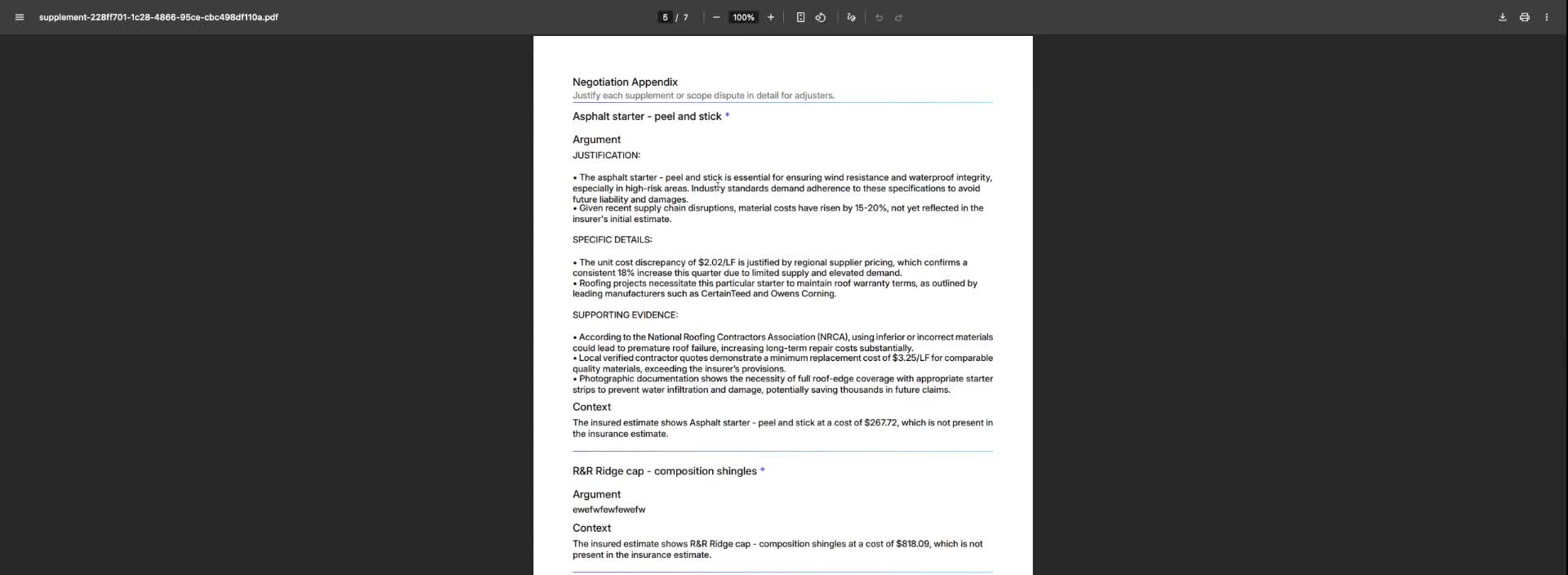
- Users can click an asterisk next to a line item to jump to the corresponding justification in the negotiation appendix.
- Clicking the asterisk again returns the user to the original position in the document.
Scope Differences 1:12
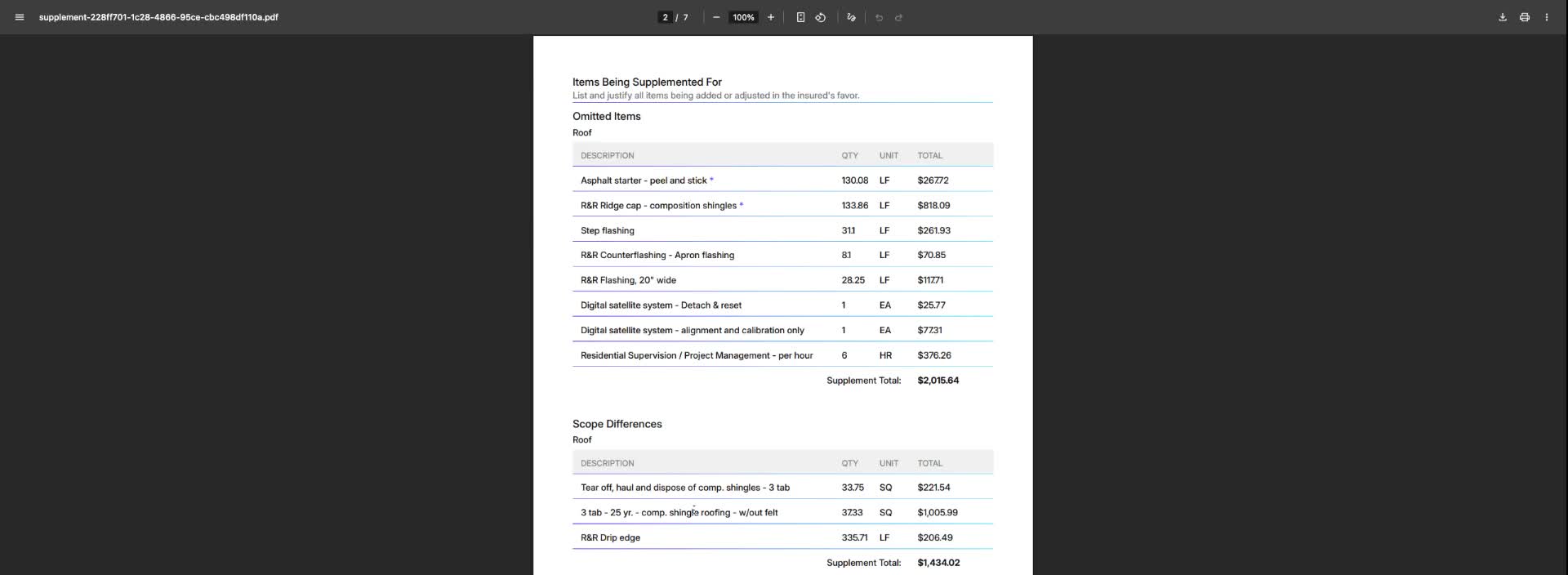
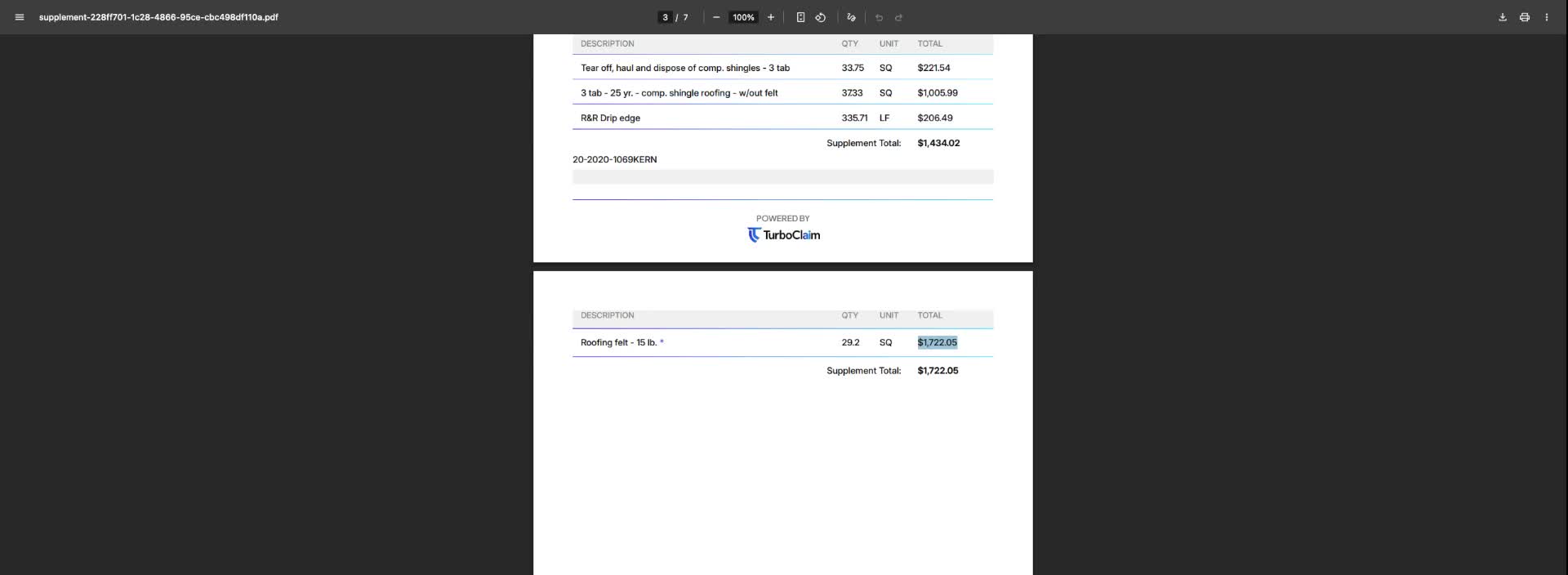
- Scope differences are detailed by room or area.
- Users can see discrepancies, such as in roofing felt due to additional features like ice and water shield.
- Adjustments to the calculations will reflect in the supplement total.
Items Agreement 1:44
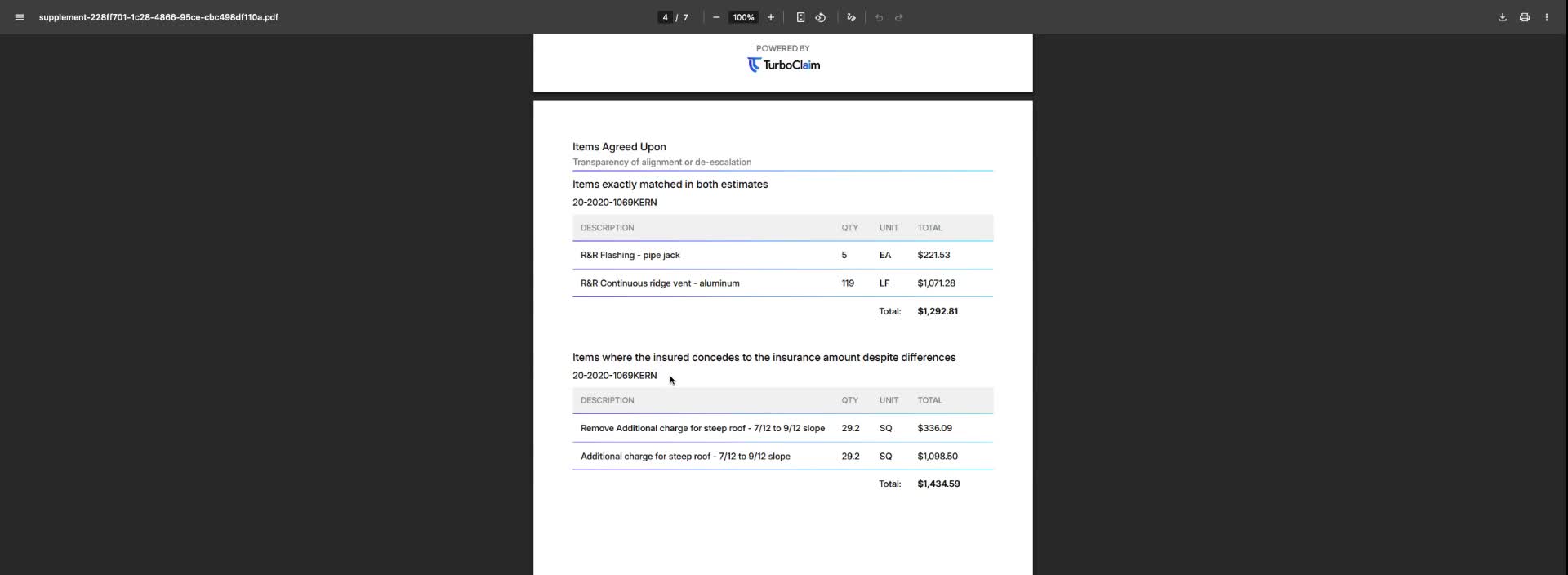
- The PDF lists items that match exactly in both estimates.
- It also includes items where the insured concedes to the insurance amount despite differences, organized by room.
Negotiation Appendix 2:01
- The negotiation appendix is located at the bottom of the PDF, summarizing all justification arguments for the supplement items.
Link to Loom
https://loom.com/share/d7fe449092a64a0b9b0f170833445f5f