
What is the TurboClaim Dashboard?
TurboClaim Dashboard Documentation
Overview
This document provides an overview of the TurboClaim dashboard, detailing its key features and functionalities. Users can navigate through supplements, view important data points, and create new supplements easily.
Dashboard Overview 0:01

- The dashboard features a welcome message for users.
- Displays the total amount supplemented and the total number of supplements or comparisons made.
- Lists the latest supplements with key data points:
- Sample client name
- Associated claim number
- Current stage of the supplement (e.g., Draft, Ready, Completed)
- Total difference discovered between documents
- Creation date of the supplement
Creating a New Supplement 0:52
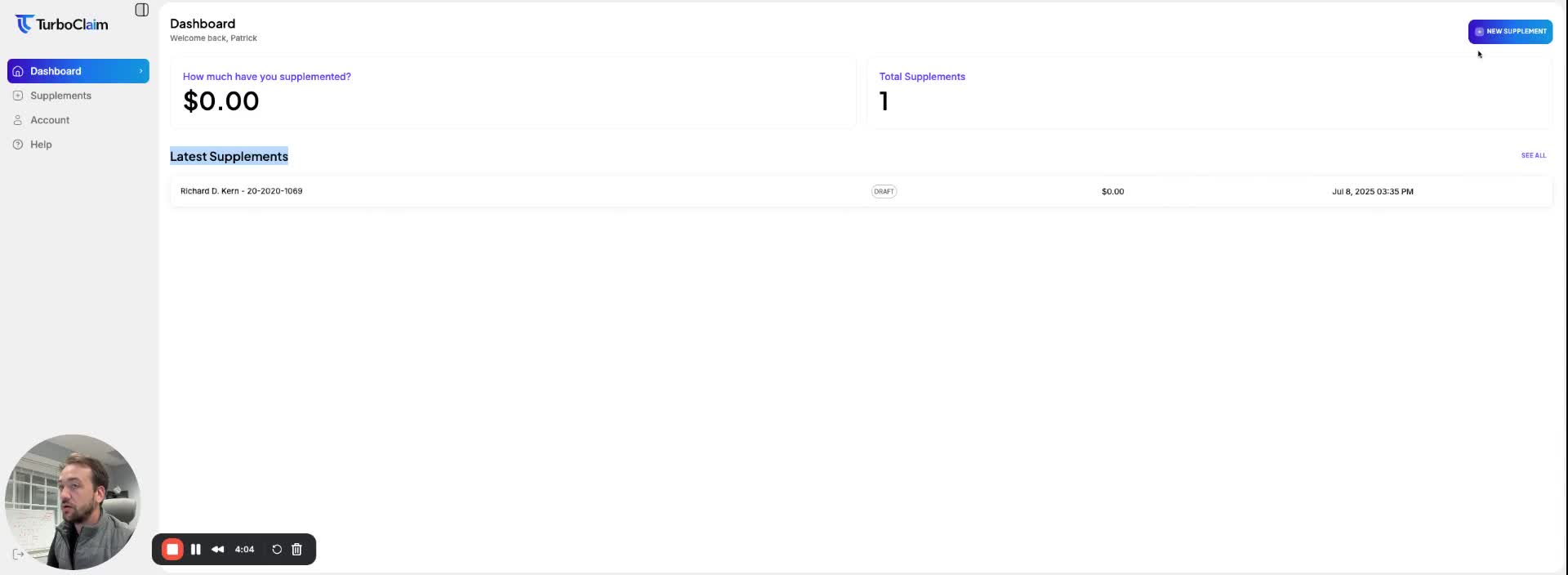
- A button labeled 'New Supplement' is available for users to create a new supplement or comparison.
- Clicking this button initiates the process for creating a new comparison/supplement.
Link to Loom
https://loom.com/share/5dbc073fe9a04af3b2bde7aa574167f3