
What is the TurboClaim Overview Screen?
TurboClaim Overview Screen Documentation
Overview
This documentation provides an overview of the TurboClaim application, specifically focusing on the overview section after creating a supplement or comparison. It highlights the key information displayed and how to interpret discrepancies flagged by the system.
Overview Section Information 0:01
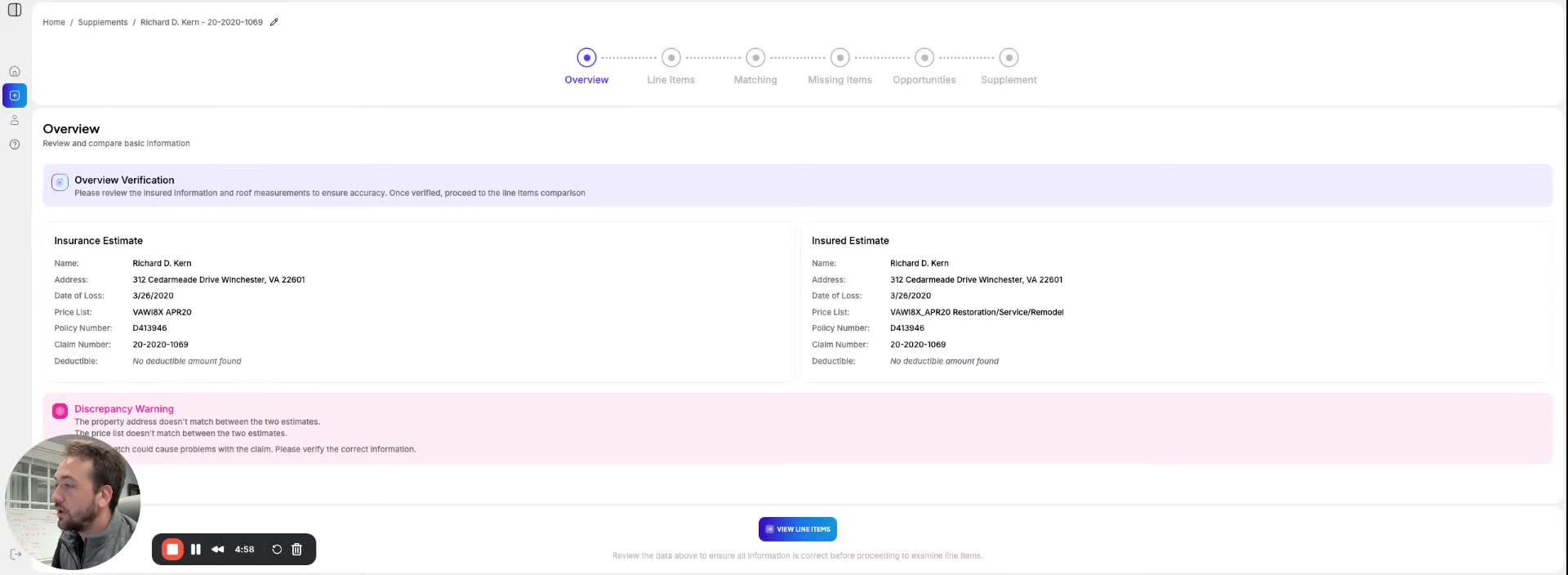
The overview section displays the following key information:
- Name: Verify if the name matches.
- Address: Check for accuracy.
- Date of Loss: Ensure the date is correct.
- Price List: Confirm the price list matches.
- Policy Number: Validate the policy number.
- Claim Number: Check the claim number for correctness.
Discrepancy Flags 0:31
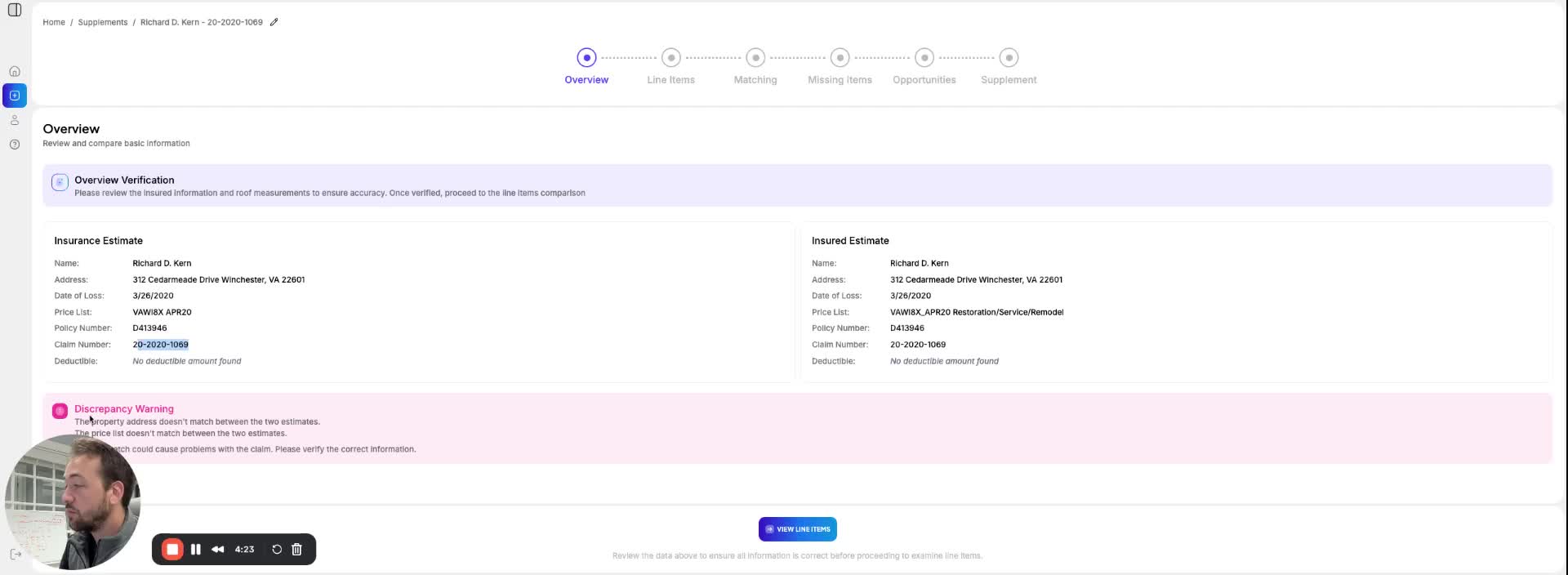
At the bottom of the overview section, discrepancies are flagged. Consider the following:
- The system may flag minor issues, such as extra spaces or underscores.
- Use your judgment to determine if the AI is being overly sensitive.
- Example: A mismatch in the price list may occur if tags like 'restoration service' or 'remodel' are present in one estimate but not the other.
Interpreting Discrepancies 0:43
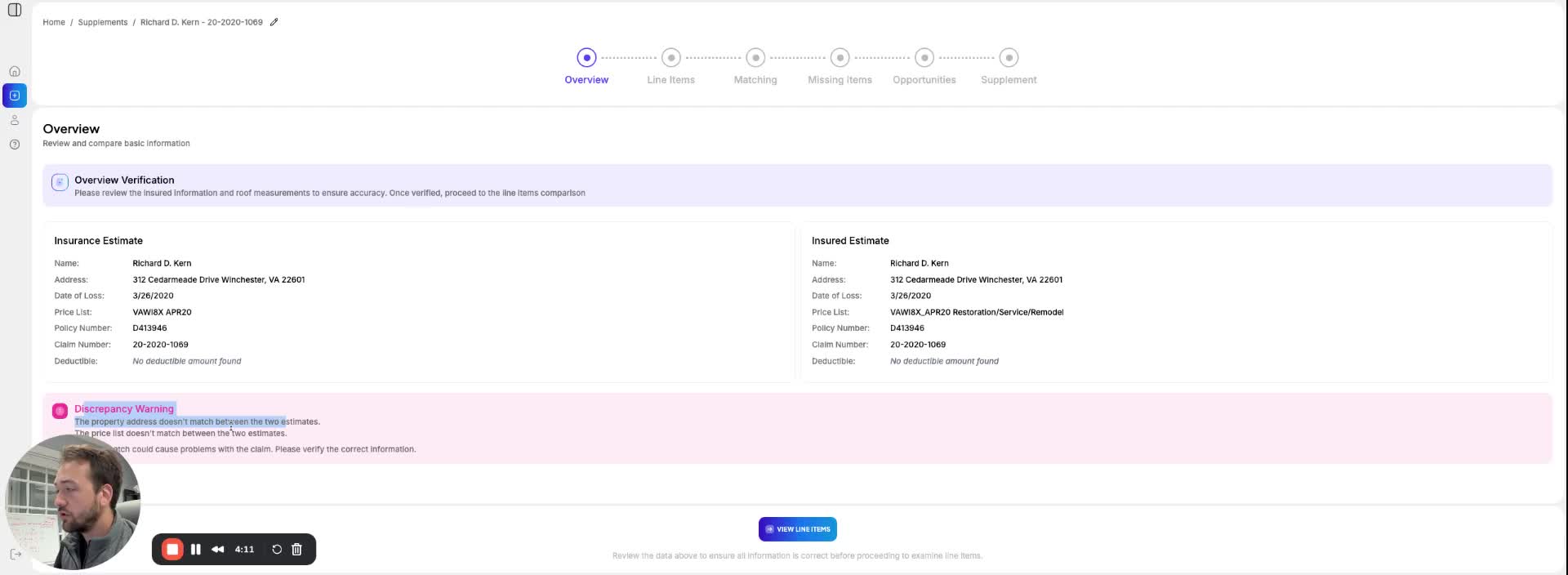
When reviewing discrepancies:
- Understand that not all flagged issues are critical.
- For instance, an extra space in the insurance name may not be significant.
- Focus on whether the essential information matches despite minor discrepancies.
Link to Loom
https://loom.com/share/c0cb9869fba14e82887c8bd48e7b1cf3